Writing
AI Humaniser: Detect & Rewrite
Detect it. Rewrite it. Ship it in your voice.
AI Humaniser highlights the sentences that feel mechanical — repetition, filler, over-formal phrasing — and helps you rewrite them into text that sounds natural and reads easily.
Available for iPhone.
The workflow
Three screens, one pass over your draft.
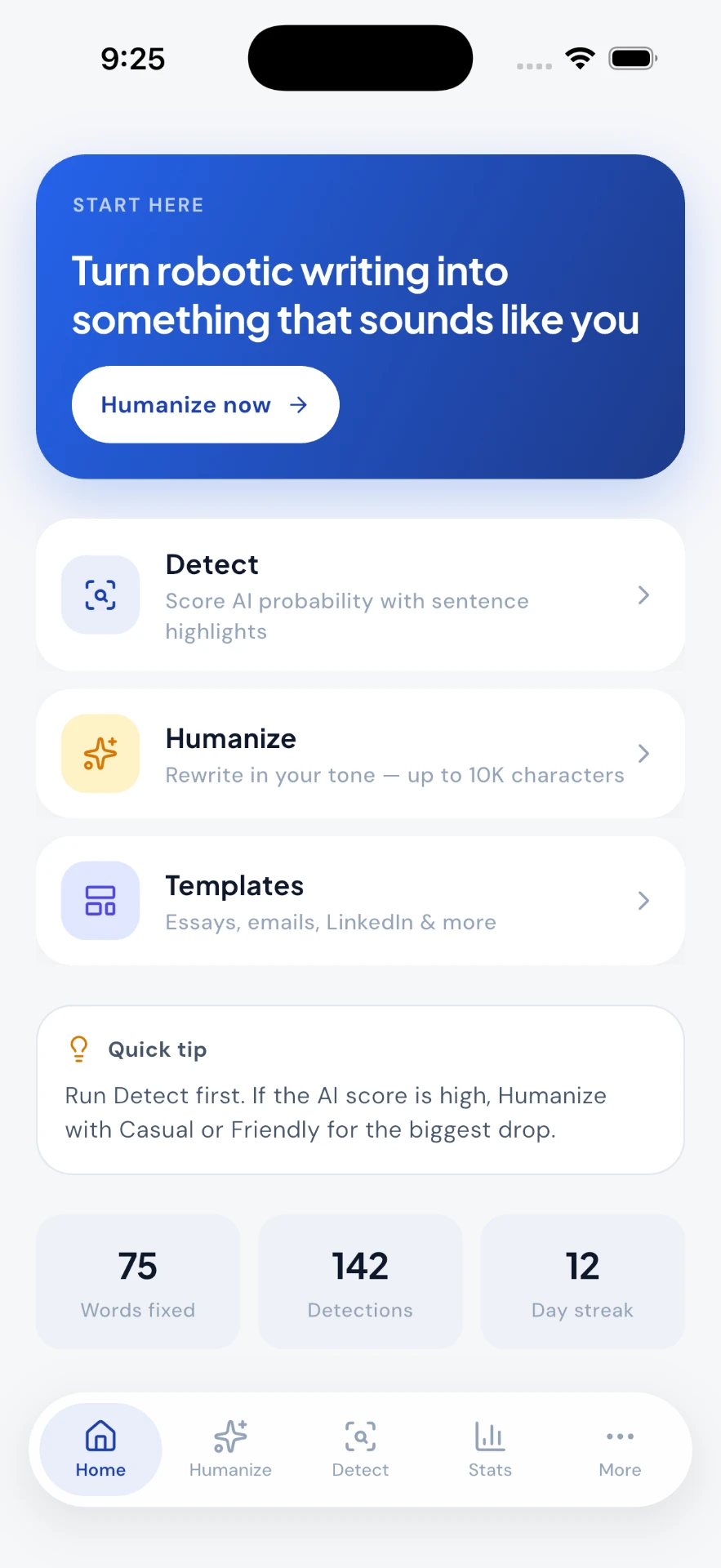
Start on one screen
Detect, Humanize and Templates sit on the first screen, with a quick tip that tells you which order to run them in. No setup, no tour.
Home · actual app screen
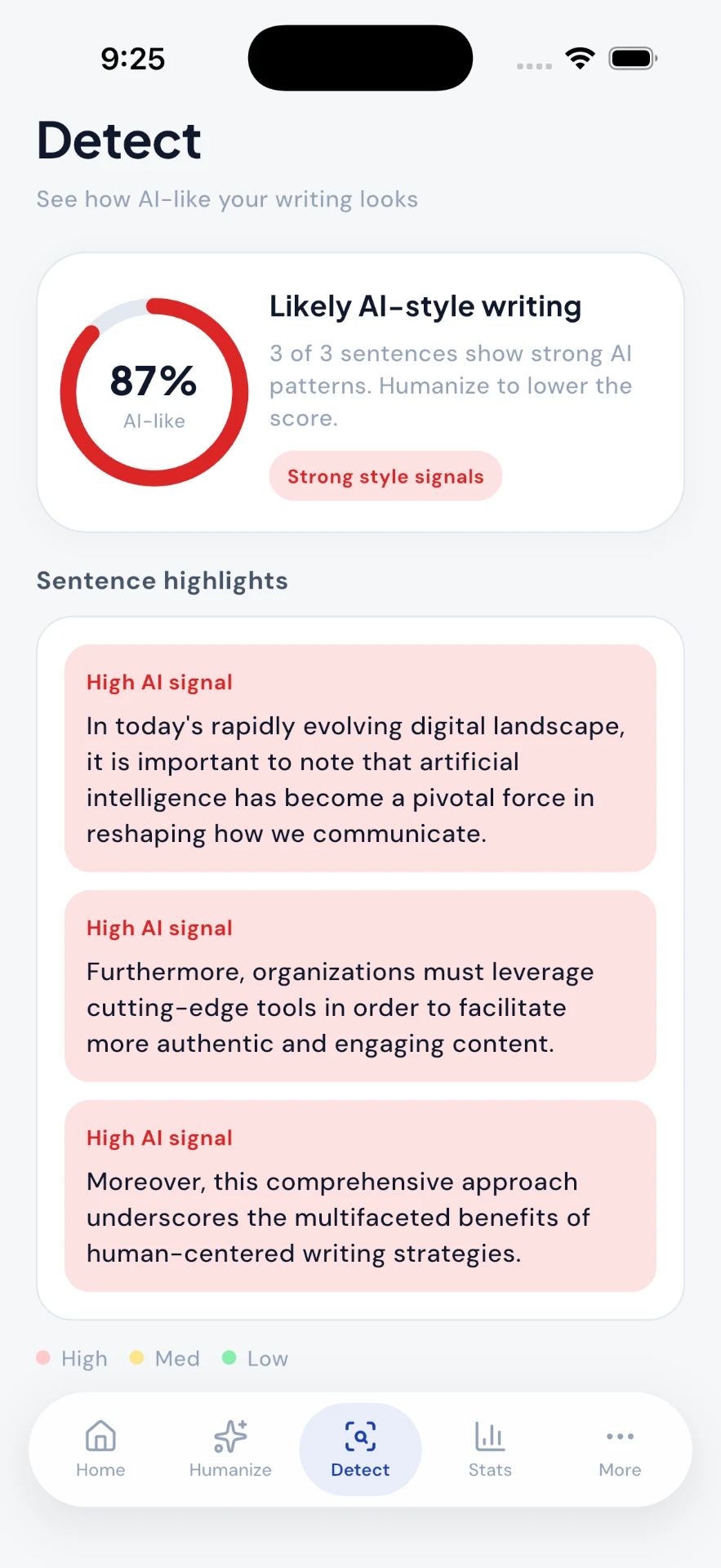
See exactly which sentences read as AI
Detect returns a single AI-likeness score, then highlights the sentences behind it — the ones opening with “In today's rapidly evolving…”, “Furthermore”, “Moreover”. High, medium and low are colour-coded so you know where to start.
Detect · actual app screen
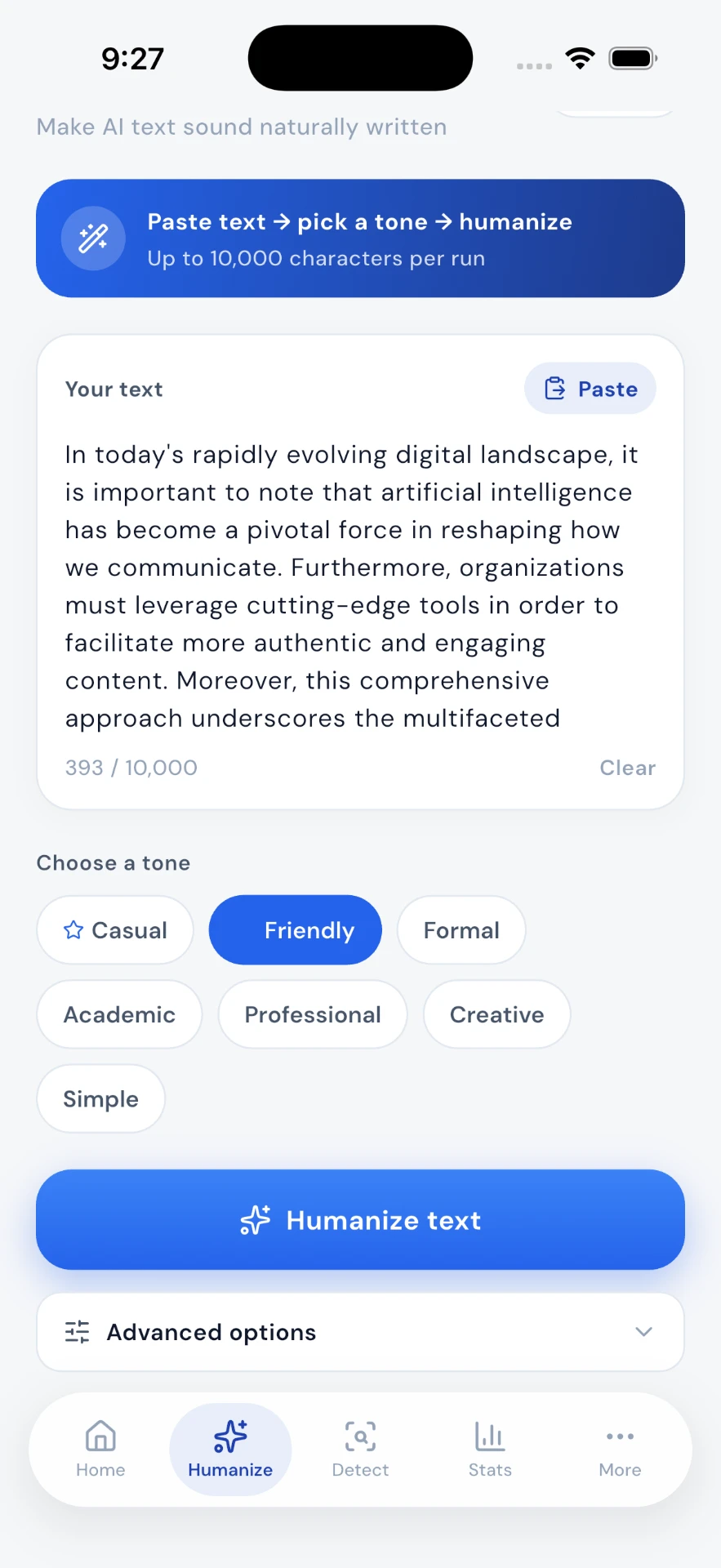
Pick a tone, rewrite up to 10,000 characters
Paste a draft, choose Casual, Friendly, Formal, Academic, Professional, Creative or Simple, and rewrite in one tap. Advanced options are there when you want them and out of the way when you don't.
Humanize · actual app screen
Before and after
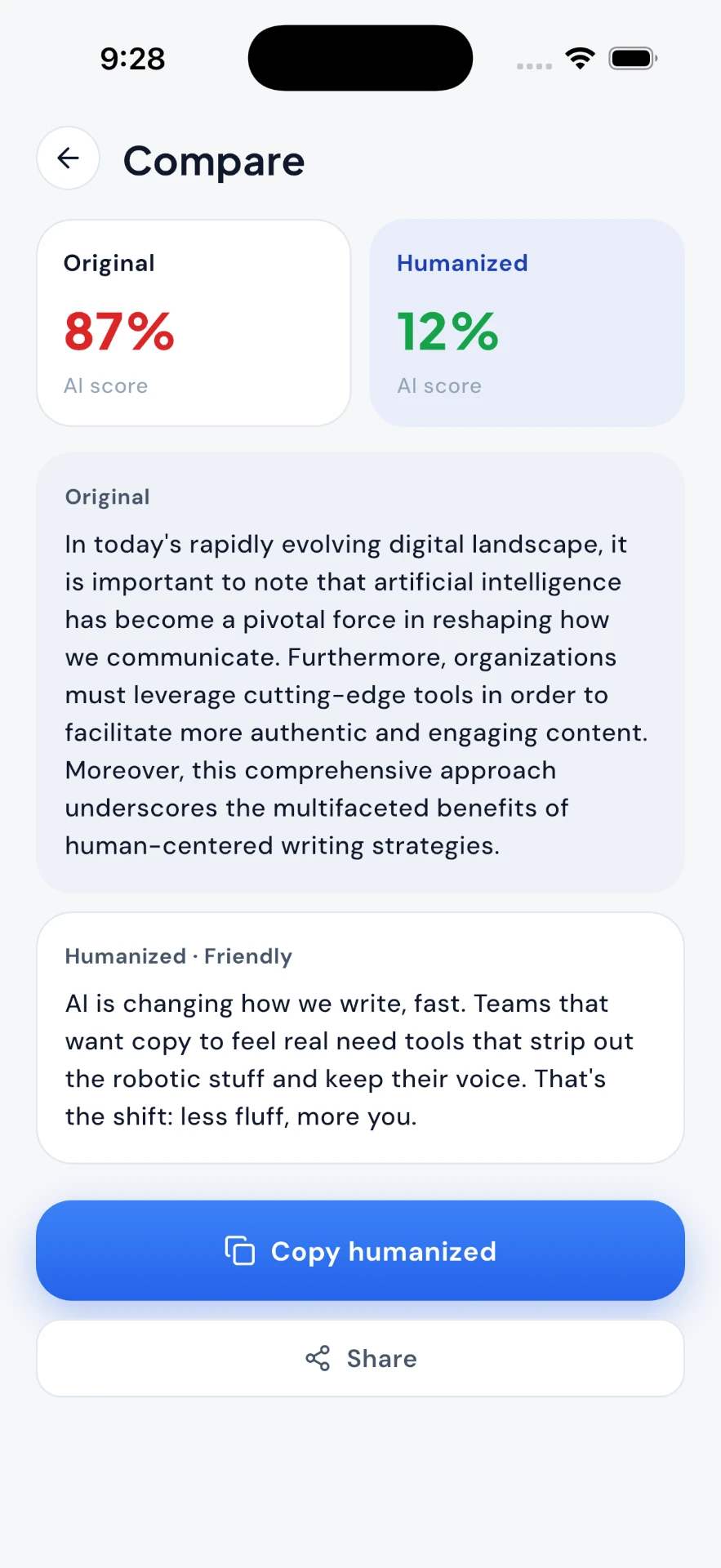
Both drafts. Both scores. Your call.
Compare keeps the original beside the rewrite, so nothing changes silently. Copy the humanized version or go back and try another tone.
Over time
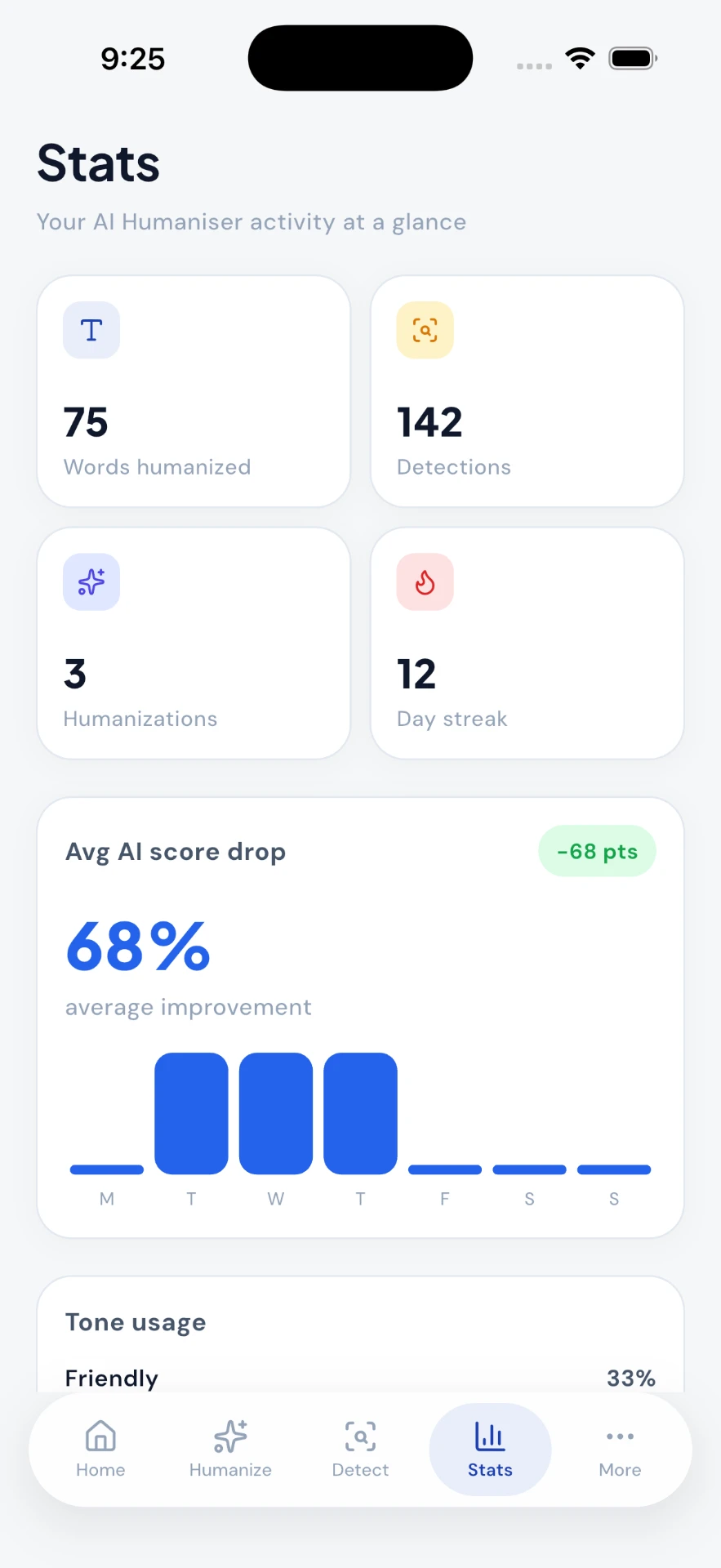
A record of what you fixed
Words humanized, detections run and the average AI score drop across your rewrites — a quiet record of your own writing, not a dashboard for someone else.
- 01Sentence-level analysis of tone, rhythm and repetition
- 02Rewrites you can tune from casual to professional
- 03Compare original and revised drafts side by side
Writing
AI Humaniser on your iPhone.
Available for iPhone.
Questions
Good to know
Does this guarantee my text will pass an AI detector?
No, and we won't claim otherwise. Detection tools are inconsistent and change constantly. AI Humaniser is a writing tool: it shows you where text reads mechanically and helps you rewrite it more naturally.
Will it change what I'm saying?
It aims to keep your meaning and rework the phrasing. Every rewrite is shown next to the original so you can compare before accepting it.
What kinds of writing does it work with?
Anything prose-shaped — emails, essays, applications, blog drafts, product copy, social posts.
Is my text stored?
Your recent drafts stay available so you can return to them. See our privacy policy for details on how text is handled.