
Finance
AI Receipt Scanner & Tracker
Scan it. Check it. File it.
Point your camera at a receipt and it becomes a structured record you can categorise, search and organise. Less manual entry, fewer lost slips.
Available for iPhone.
The workflow
From a slip in your pocket to a line in your report.
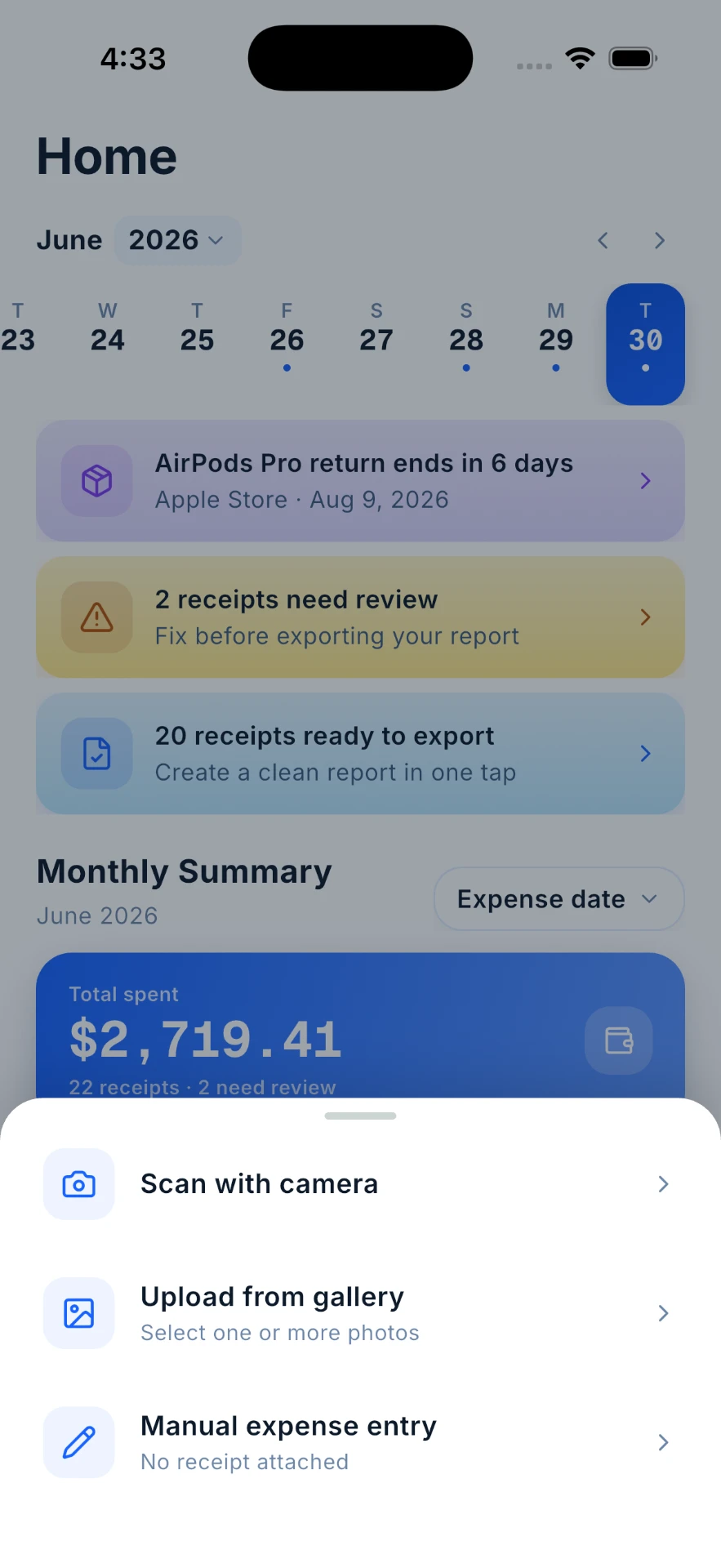
Start with the receipt in front of you
Scan with the camera, upload one or more photos from your gallery, or add an expense manually when there's no slip to keep. It's the first sheet in the app, not a setting buried three screens deep.
Capture · actual app screen
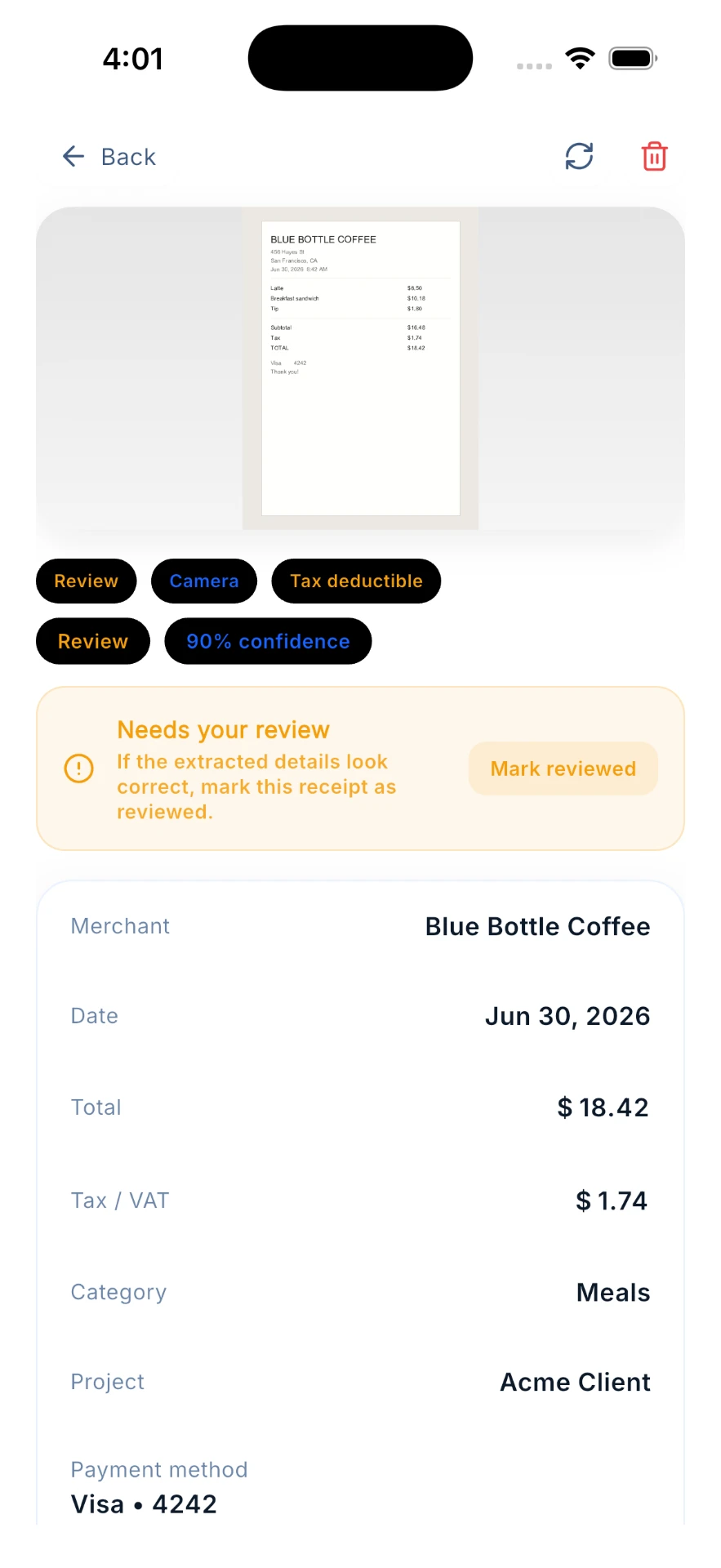
The details come back as editable fields
The key details are read from the image and shown as fields you can check and correct, so nothing is saved on your behalf that you have not looked at.
Receipt · actual app screen
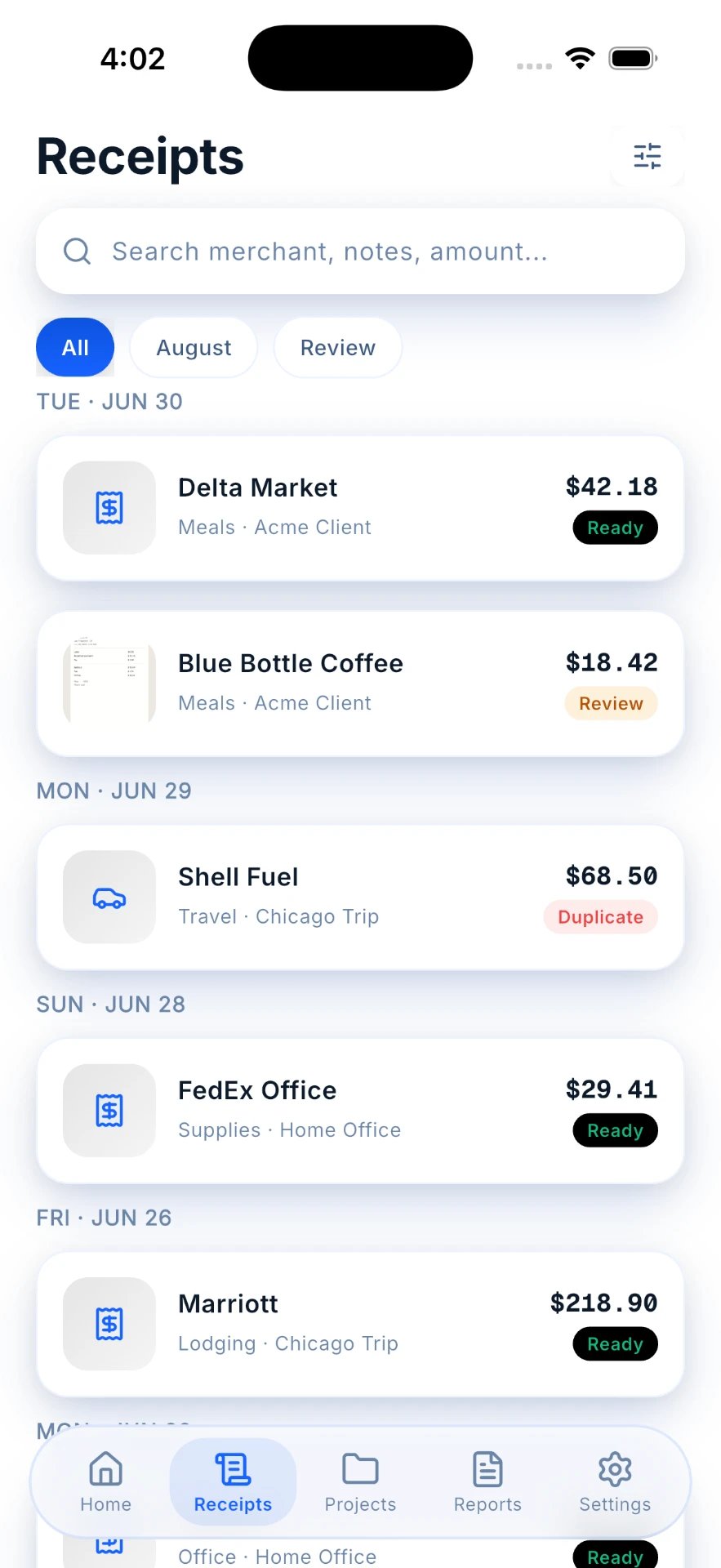
Every receipt lands somewhere findable
The library keeps your receipts grouped and searchable, so finding a single record later takes a search rather than a scroll through the year.
Receipts · actual app screen
The month at a glance
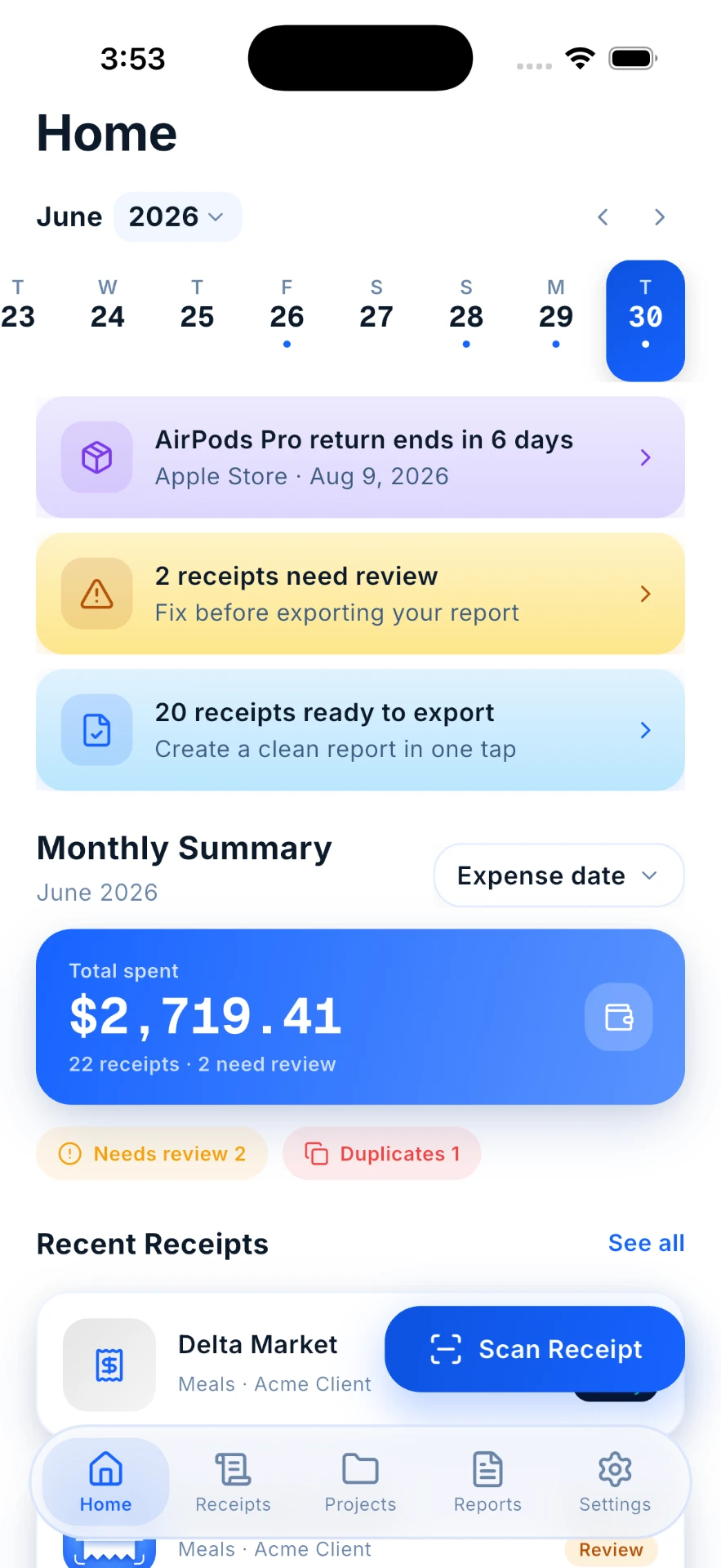
One total, and what still needs you.
Home opens on the month you're in, so the receipts you have captured read as one record instead of a drawer of paper.
Expense time
Ready when someone asks for it
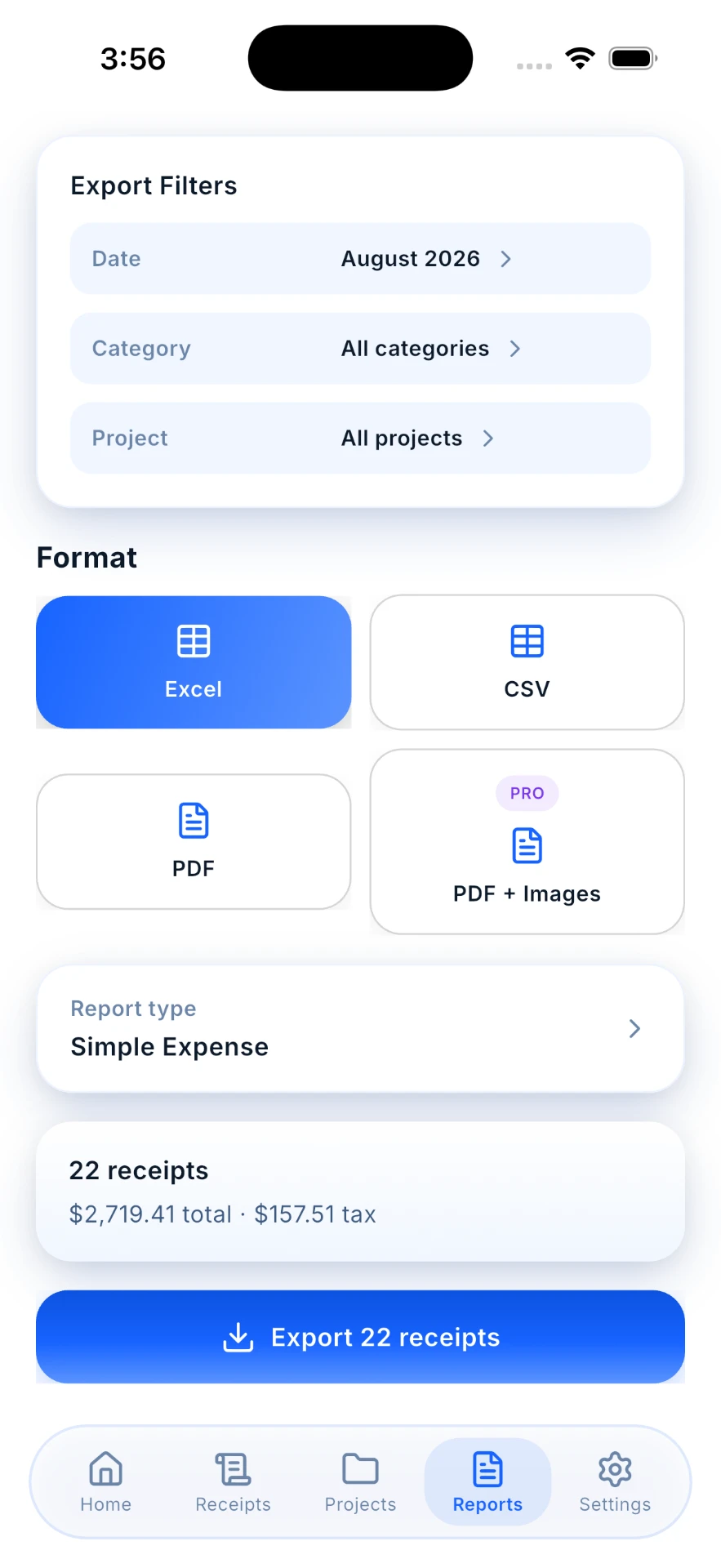
Narrow down to the records you need, then take them out of the app to share when you have to file or hand something over — instead of rebuilding the month from a drawer of paper.
- 01Capture receipts with the camera, your photo library or a PDF
- 02Key receipt details extracted into editable fields
- 03Organise, group by client or project, and search your records
- 04Export expense, tax and client reimbursement reports as Excel, CSV or PDF
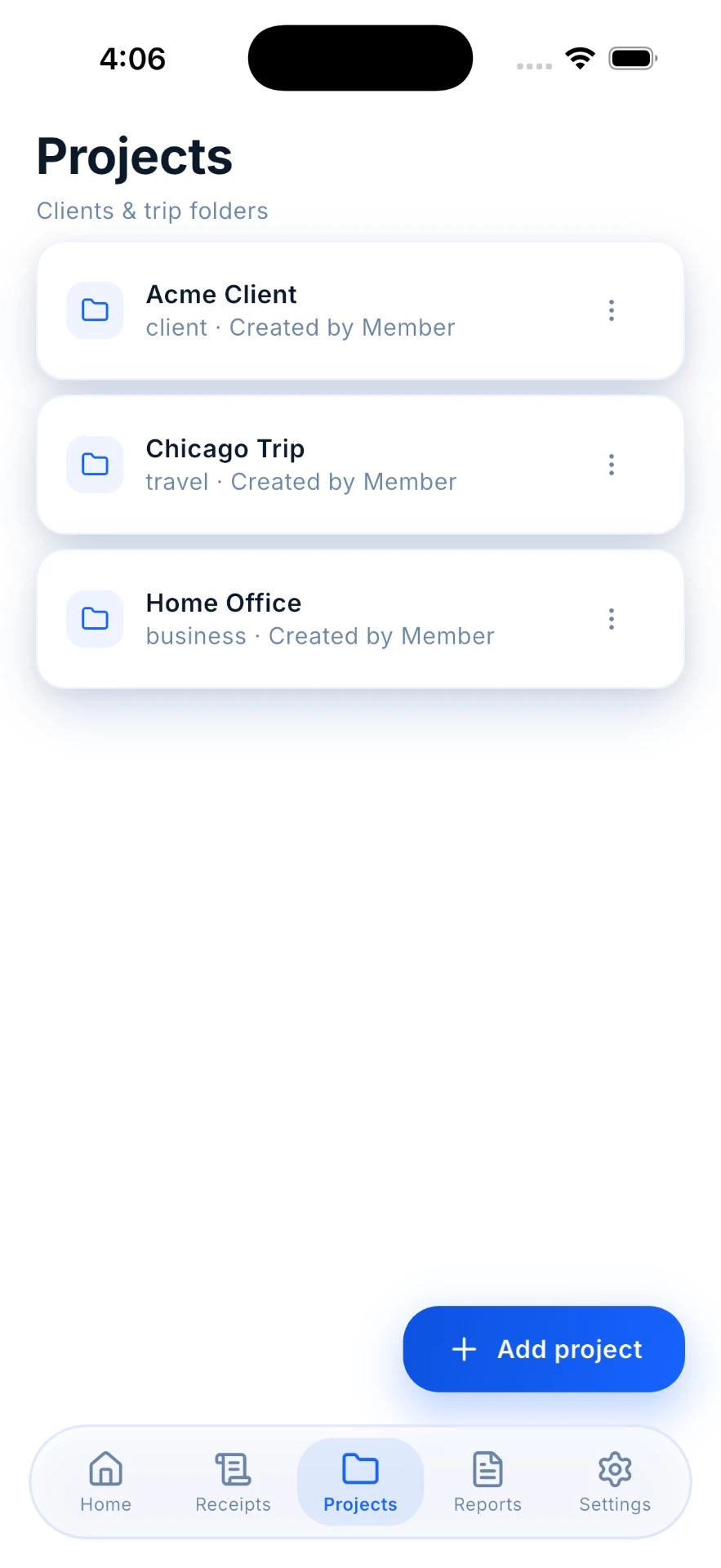
Groups
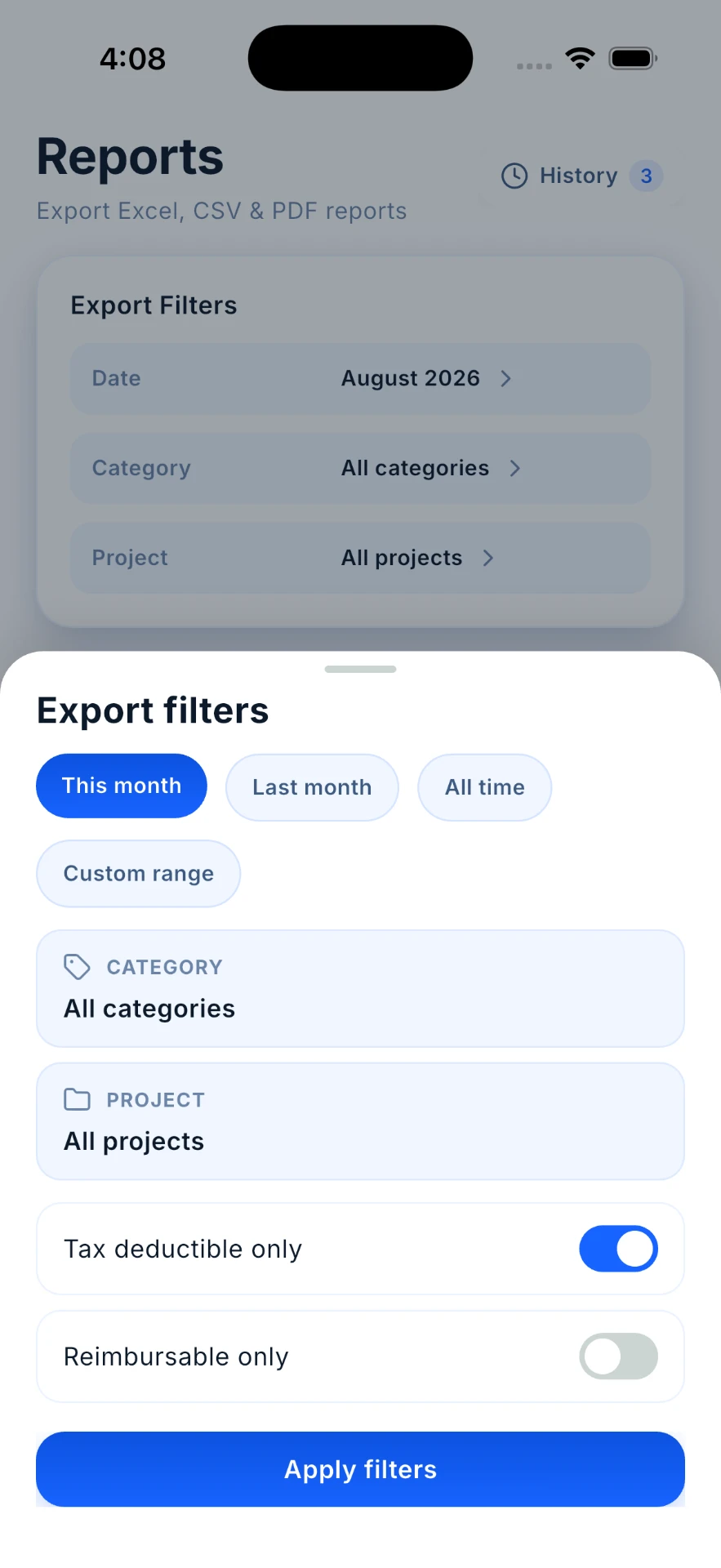
Filters
Finance
Receipt Scanner on your iPhone.
Available for iPhone.
Questions
Good to know
Is it free?
Yes, the app is free to use. You can enter receipts yourself, categorise, group and search them without paying anything or running out. What is metered is the AI: five AI scans are included, and more come as one-off credit packs or with Pro. Exporting reports to hand to an accountant, employer or spreadsheet is Pro only, and Pro also lifts the one-project limit.
What if a scan reads something incorrectly?
Every field is editable. Scanning creates a starting record; review and edit the details before saving.
Do I still have to check the details?
Yes — read the record over and correct anything that doesn't match the receipt before you move on.
Does it work for business expenses?
It's built for anyone tired of manual entry: freelancers, small business owners, and anyone who has to hand in expenses.
Reading on the same problem
All guides- How to organise receipts
- Organising receipts for a small business
- How to choose a receipt scanning app
- Receipt organisers compared
- How to keep track of business expenses
- Matching card statements to receipts
- Organising receipts electronically
- Putting together a small business expense report
- Expensify alternatives
- How long to keep receipts
- Deductions without receipts
- IRS receipt requirements
- Donation receipts
- AI receipt scanners
- myDeductions vs. a receipt scanner app
- Small business expense spreadsheet
- Business expense categories
- Business travel expenses
- LLC business expenses
- Business expenses
- Receipt management software
- Receipt tracker apps
- Free receipt scanner apps
- Self-employed tax deductions
- Proof of income when self-employed
- Unreimbursed employee expenses
- Schedule C expense lines
- Expense tracker for the self-employed
- Independent contractor vs self-employed
- Receipt scanner apps for tax season