Writing
AI Humanizer: Rewrite AI Text
Detect it. Rewrite it. Ship it in your voice.
AI Humanizer shows you why a draft reads as machine-written (stock vocabulary, template sentence openers, every sentence the same length), rewrites it in the tone you pick, and shows you exactly what changed before you copy it out.
Available for iPhone.
The workflow
Check it, rewrite it, compare it.
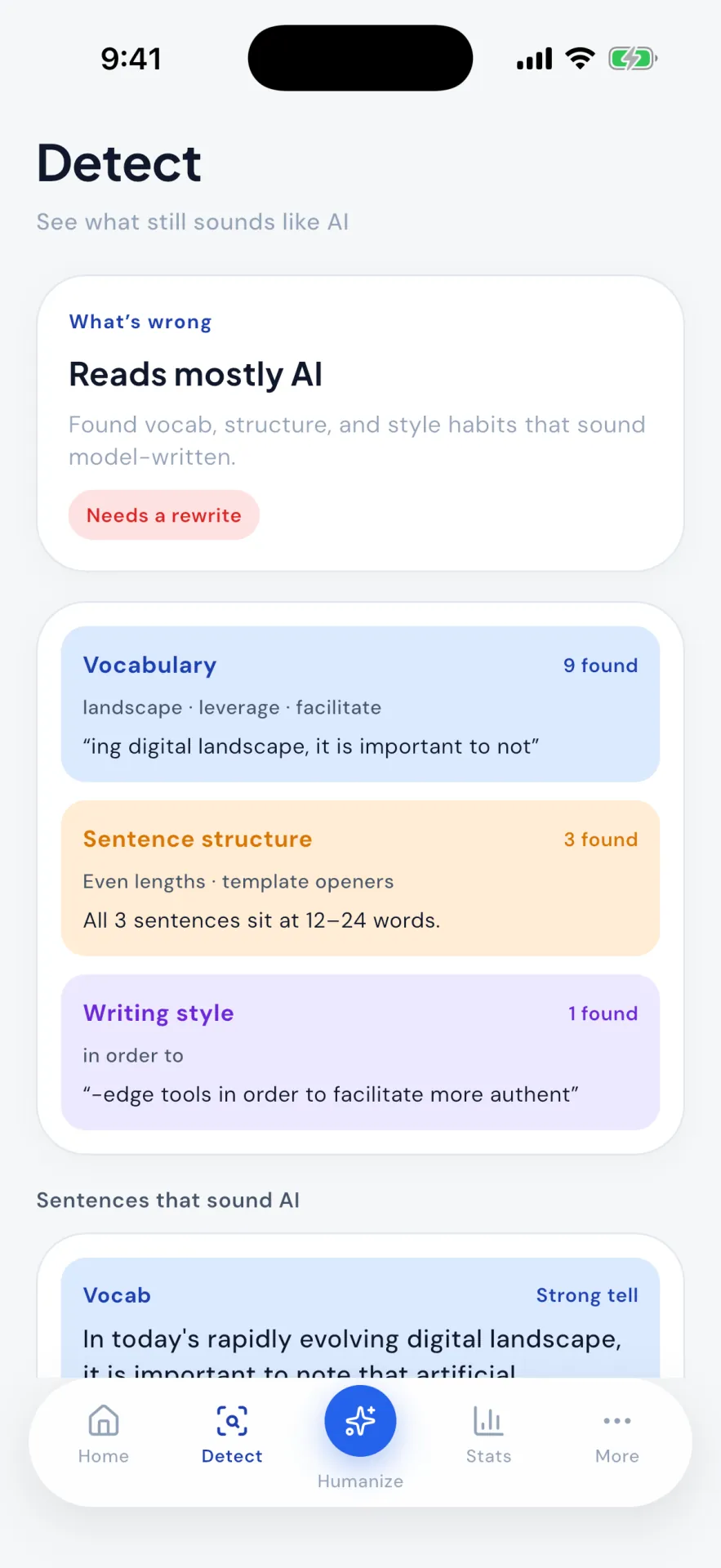
See why a draft reads as AI
Detect gives a plain verdict, then says what is behind it: stock vocabulary like “landscape”, “leverage” and “facilitate”, template sentence openers, every sentence the same length. The sentences that sound most machine-made are listed underneath. Checking is free.
Detect · actual app screen
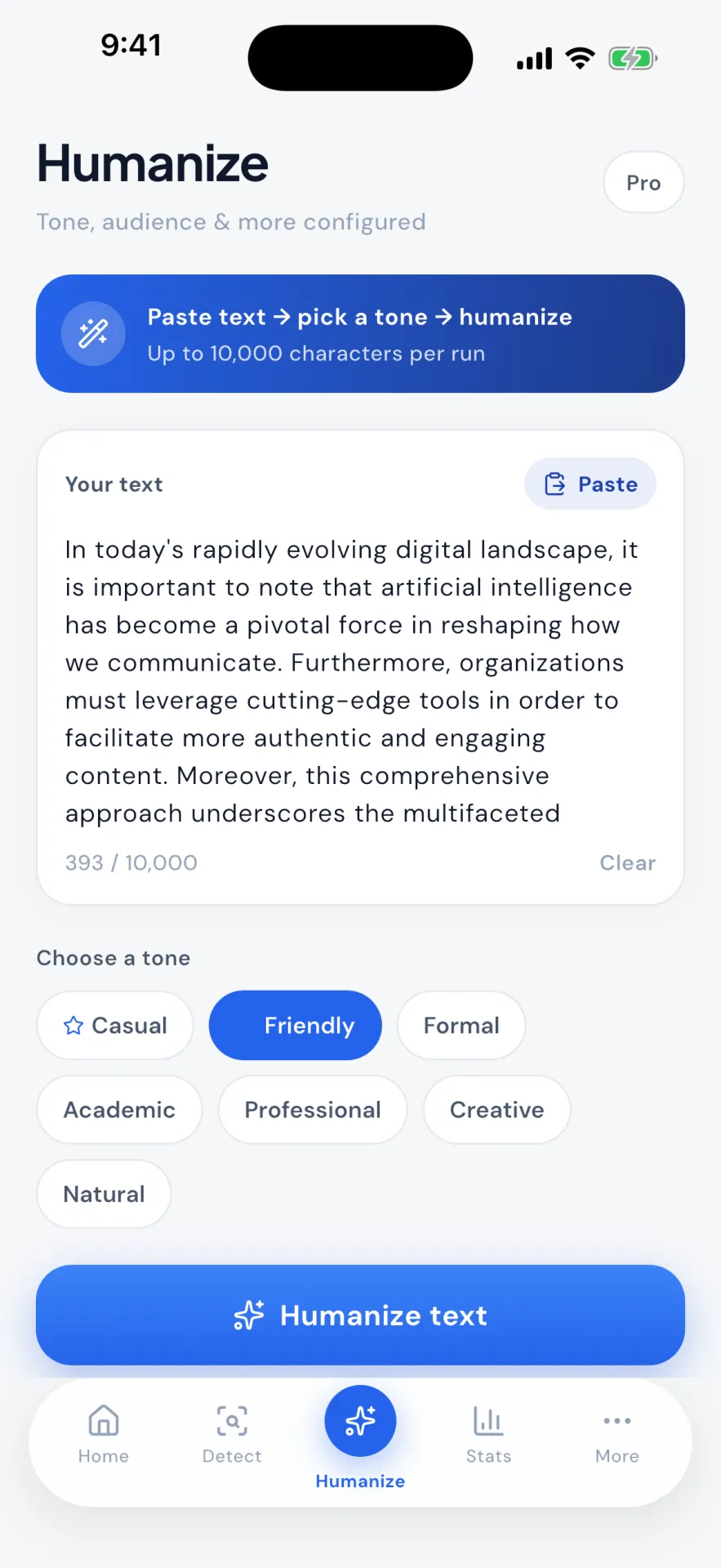
Pick a tone, rewrite up to 10,000 characters
Paste a draft or send it in from another app, choose Natural, Casual, Friendly, Professional, Formal, Academic or Creative, and rewrite in one tap. Advanced options are there when you want them and out of the way when you don't.
Humanize · actual app screen
Before and after
Both drafts, side by side. Your call.
Compare keeps the original beside the rewrite, so nothing changes silently. Copy, share or export the humanized version as PDF, Markdown or DOC, or go back and try another tone.
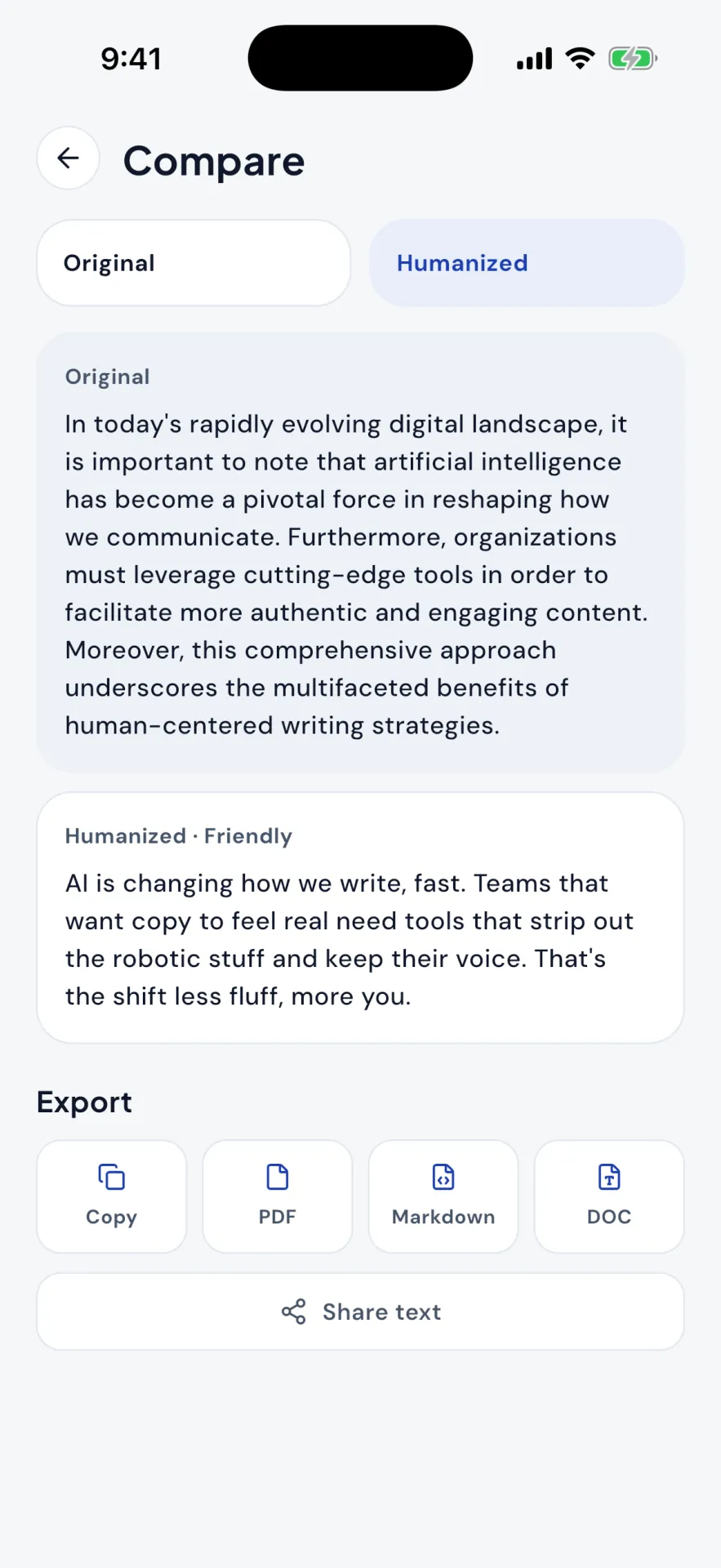
After every rewrite
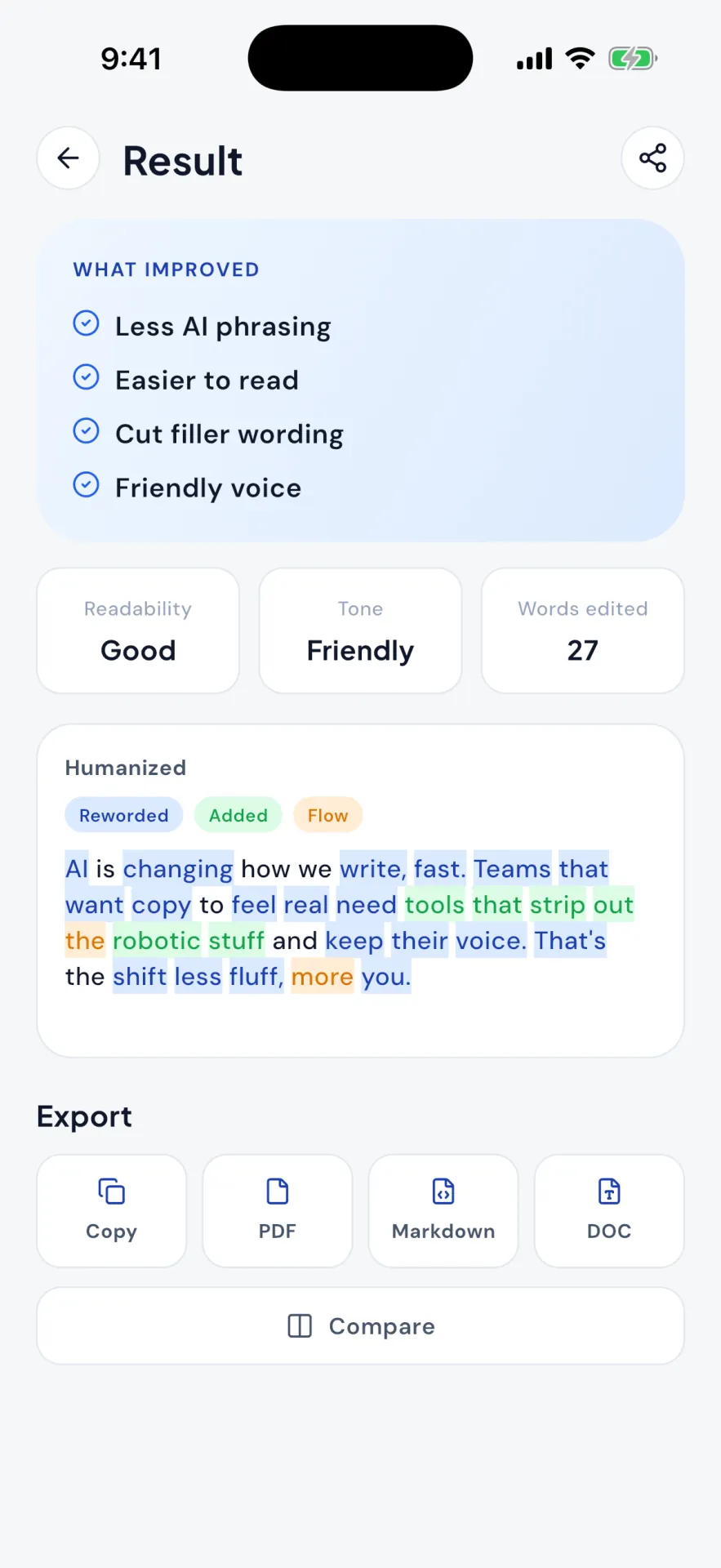
Exactly what changed
Each result opens on what improved, with readability, tone and the number of words edited. Changed words are highlighted as reworded, added or smoothed for flow, so you can see the edit before you trust it.
- 01A free check that names what reads as machine-written: vocabulary, sentence structure, style
- 02Rewrites in seven tones, up to 10,000 characters per run
- 03A breakdown of what changed, then the original and the rewrite side by side
- 04Send text in from any app with the Share sheet; export as PDF, Markdown or DOC
Writing
AI Humanizer on your iPhone.
Available for iPhone.
Questions
Good to know
Is it free?
Yes, to start. Checking text for AI-like writing is free for everyone. Your first three rewrites are free at full length, up to 10,000 characters, and after that you get one free rewrite a day for shorter text, up to 1,500 characters. Pro, monthly or yearly, unlocks unlimited rewrites at full length.
Does this guarantee my text will pass an AI detector?
No, and we won't claim otherwise. Detection tools are inconsistent and change constantly. AI Humanizer is a writing tool: it shows you where text reads mechanically and helps you rewrite it more naturally.
Will it change what I'm saying?
It aims to keep your meaning and rework the phrasing. Every rewrite shows what changed and can be compared side by side with the original before you copy it.
What kinds of writing does it work with?
Email, work documents, articles, marketing copy, social posts and personal notes. Anything prose shaped.
Which tone should I use for a work email?
Professional for client and internal work email. Formal for anything official. Friendly for a colleague you know well.
Can I use it from other apps?
Yes. Select text anywhere that offers the Share sheet, such as Notes, Mail or Safari, and choose AI Humanizer. The text opens in the app ready to rewrite.
What will AI Humanizer not do?
It does not promise that your text will pass an AI detector, and it is not a plagiarism tool. It rewrites stiff, repetitive or over-formal prose so it reads like a person wrote it.
Is my text stored?
Your recent results stay in History so you can return to them. See our privacy policy for details on how text is handled.
Reading on the same problem
All guides- What AI detector do colleges use
- Best AI humanizer
- Best AI detector for teachers
- How accurate are AI detectors
- Falsely accused of using AI
- AI detectors like Turnitin
- Do AI humanizers work
- Rewrite an email professionally
- How to improve your writing skills
- Why does my writing sound like AI?
- Make your writing sound more professional